
GOOGLE CHROMEOS DEVICES
Monitor & Troubleshoot ChromeOS Devices
Goliath Technologies’ purpose-built software, with embedded intelligence and automation, is the industry-only solution to help IT professionals monitor ChromeOS devices (Chromebooks, Chromeboxes, etc.) and troubleshoot end-user experience issues.
INDUSTRY ONLY
All-new extensive Google ChromeOS device monitoring and troubleshooting capabilities
The deep integration between Google ChromeOS and Goliath Technologies gives IT professionals a comprehensive view of Google ChromeOS device health correlated with other IT elements that could potentially impact end-user experience including Citrix and/or VMware Horizon and all supporting delivery infrastructure components. Intelligent insight reduces remediation times for organizations and generate documentation to guide and support permanent resolution.
SEE EVERYTHING
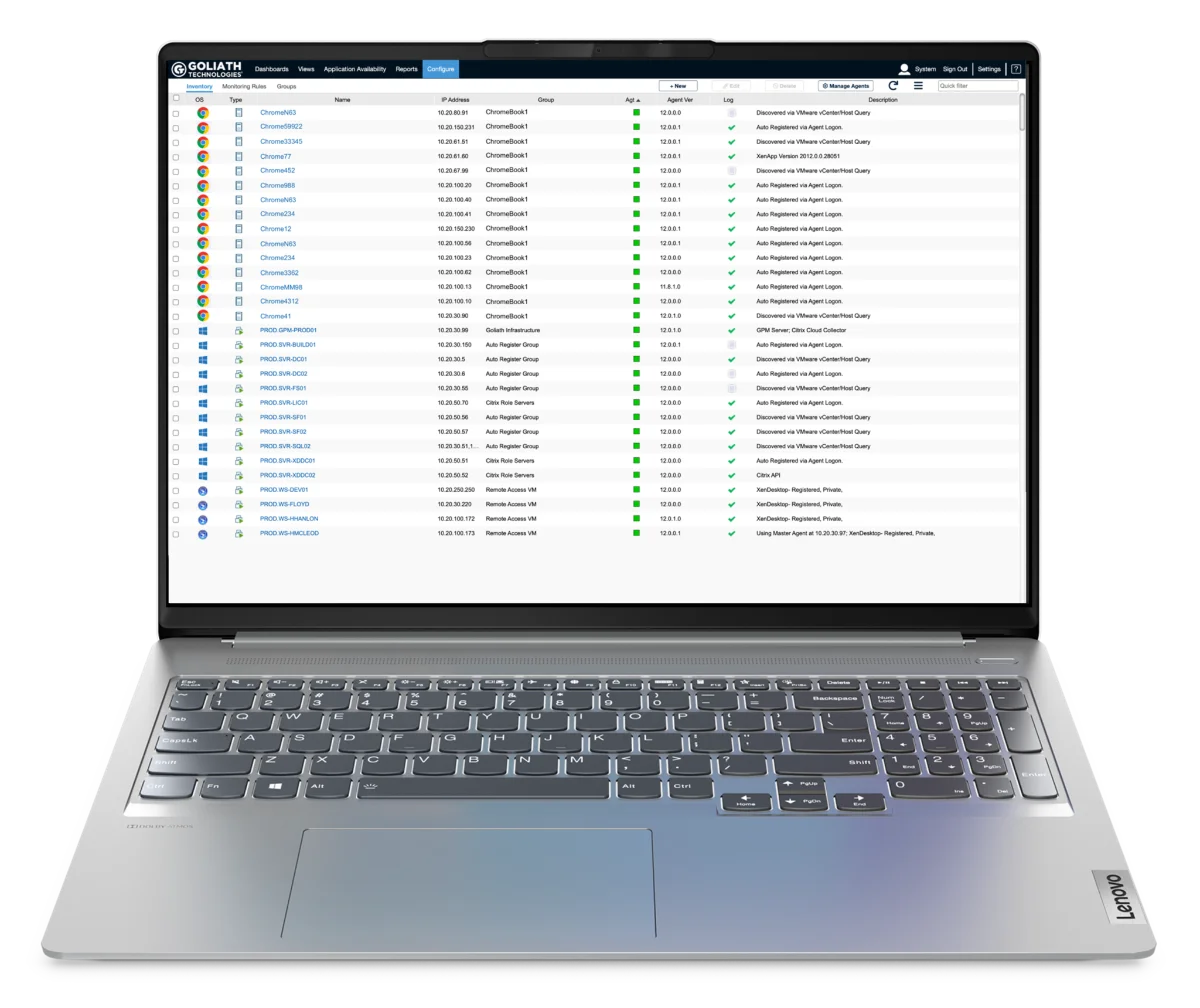
Inventory of user sessions
Discover and view ChromeOS devices automatically and quickly identify them within your overall inventory using the quick filter option.
PERFORMANCE INSIGHT
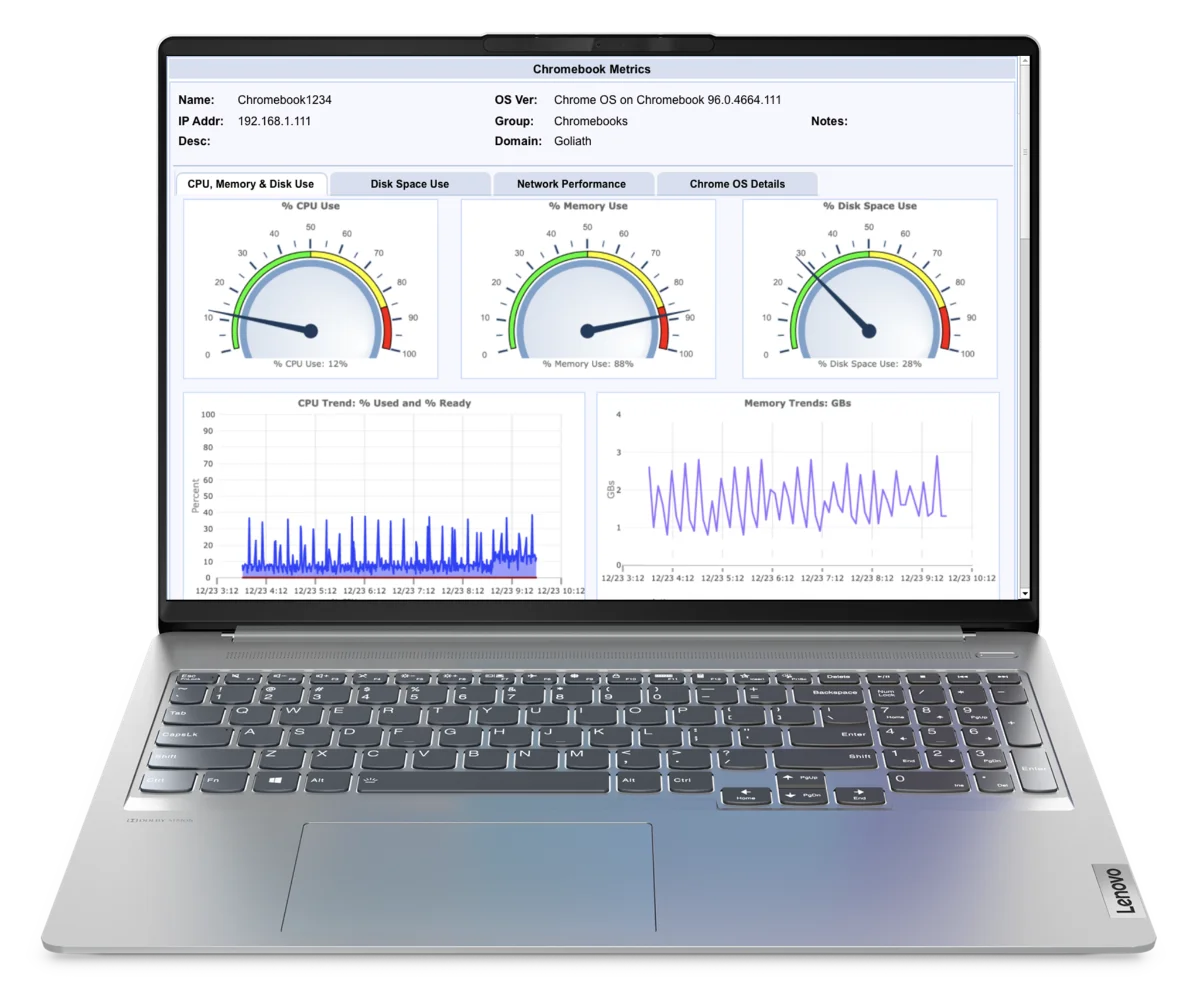
ChromeOS Device Health & Performance Metrics
View ChromeOS device telemetry on performance and usage to quickly diagnose issues impacting overall device performance.
CORRELATE ALL IT ELEMENTS
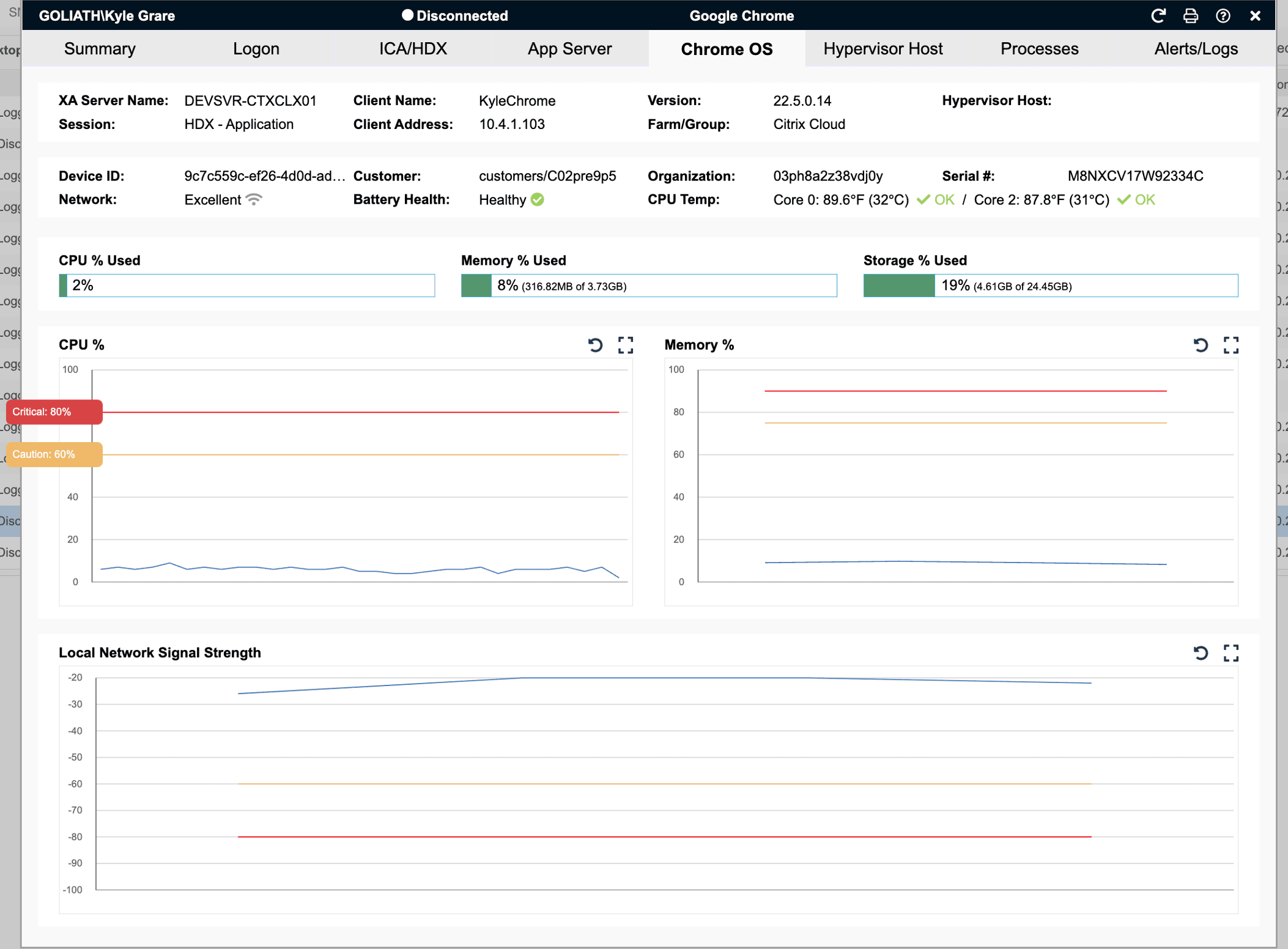
ChromeOS correlated with Citrix session performance
Troubleshoot the root cause of end user experience issues by correlating ChromeOS device health and Citrix session performance metrics.
On-Demand Webinar
Introducing the ChromeOS Monitoring & Troubleshooting Platform
Industry-only monitoring & troubleshooting software for ChromeOS devices.
A call comes in and someone says their Google Chromebook isn’t working because the application is slow. We logon to Goliath’s End-User Experience Management software and we can see the Citrix session of the user reporting the issue in real-time. I search for their name and in literally one click I can see anything that might be causing the performance degradation including user behavior, Citrix delivery infrastructure, server layer, end user network connection, and even peripheral devices like printers or USB drives.
Scott Urofsky · CTO, Systems Solutions Inc.
Latest News
Try Goliath For Free
Experience true end user experience monitoring and troubleshooting free for 30 days.